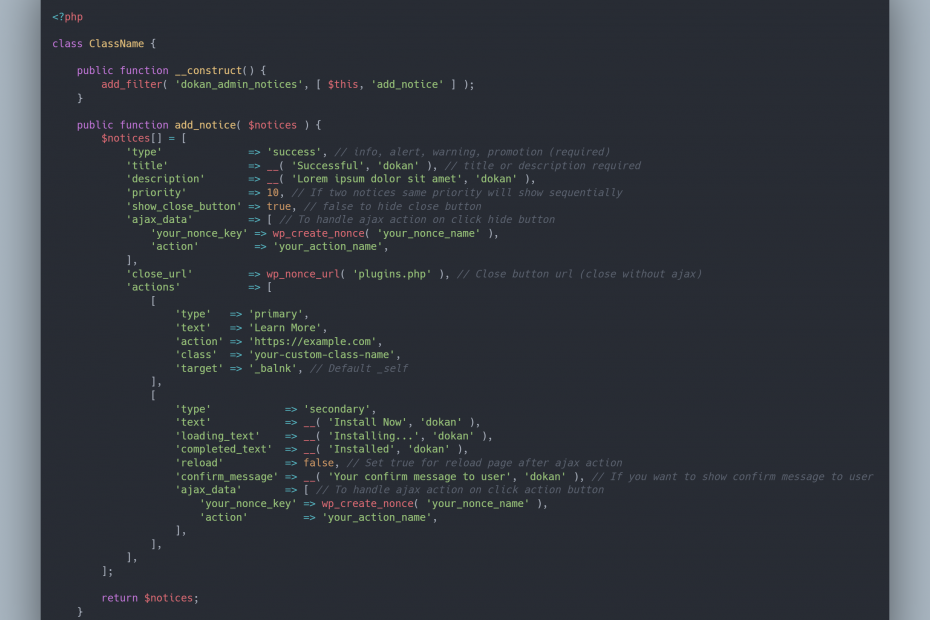
Dokan has two filter hooks for adding admin notices.
// To add notice in the entire WordPress dashboard use this filter hook.
apply_filters( 'dokan_global_admin_notices', [] );
// To add notice on Dokan specific pages. This notice only shows Dokan top-level and subpages.
apply_filters( 'dokan_admin_notices', [] );Available options for admin notices:
<?php

class ClassName {

    public function __construct() {
        add_filter( 'dokan_admin_notices', [ $this, 'add_notice' ] );
    }

    public function add_notice( $notices ) {
        $notices[] = [
            'type'              => 'success', // info, alert, warning, promotion (required)
            'title'             => __( 'Successful', 'dokan' ), // title or description required
            'description'       => __( 'Lorem ipsum dolor sit amet', 'dokan' ),
            'priority'          => 10, // If two notices same priority will show sequentially
            'show_close_button' => true, // false to hide close button
            'ajax_data'         => [ // To handle ajax action on click hide button
                'your_nonce_key' => wp_create_nonce( 'your_nonce_name' ),
                'action'         => 'your_action_name',
            ],
            'close_url'         => wp_nonce_url( 'plugins.php' ), // Close button url (close without ajax)
            'actions'           => [
                [
                    'type'   => 'primary', // primary and secondary
                    'text'   => 'Learn More',
                    'action' => 'https://example.com',
                    'class'  => 'your-custom-class-name',
                    'target' => '_balnk', // Default _self
                ],
                [
                    'type'            => 'secondary',
                    'text'            => __( 'Install Now', 'dokan' ),
                    'loading_text'    => __( 'Installing...', 'dokan' ),
                    'completed_text'  => __( 'Installed', 'dokan' ),
                    'reload'          => false, // Set true for reload page after ajax action
                    'confirm_message' => __( 'Your confirm message to user', 'dokan' ), // If you want to show confirm message to user
                    'ajax_data'       => [ // To handle ajax action on click action button
                        'your_nonce_key' => wp_create_nonce( 'your_nonce_name' ),
                        'action'         => 'your_action_name',
                    ],
                ],
            ],
        ];

        return $notices;
    }
}
Example from Dokan:
add_filter( 'dokan_admin_notices', [ $this, 'render_run_admin_setup_wizard_notice' ] );
/**
* Render run admin setup wizard notice
*
* @since 2.9.27
*
* @param array $notices
*
* @return array
*/
public function render_run_admin_setup_wizard_notice( $notices ) {
$ran_wizard = get_option( 'dokan_admin_setup_wizard_ready', false );
if ( $ran_wizard ) {
return $notices;
}
// If vendor found, don't show the setup wizard as admin already ran the `setup wizard`
// without the `dokan_admin_setup_wizard_ready` option.
$vendor_count = dokan_get_seller_status_count();
if ( ! empty( $vendor_count['active'] ) ) {
update_option( 'dokan_admin_setup_wizard_ready', true );
return $notices;
}
$notices[] = [
'type' => 'success',
'description' => __( '<strong>Welcome to Dokan</strong> – You‘re almost ready to start selling :)', 'dokan-lite' ),
'priority' => 1,
'show_close_button' => true,
'ajax_data' => [
'dismiss_dokan_admin_setup_wizard_notice' => true,
'action' => 'dokan_dismiss_admin_setup_wizard_notice',
'nonce' => wp_create_nonce( 'dokan_admin' ),
],
'actions' => [
[
'type' => 'primary',
'text' => __( 'Run the Setup Wizard', 'dokan-lite' ),
'action' => admin_url( 'admin.php?page=dokan-setup' ),
],
],
];
return $notices;
}To handle the close and action button you have to only write the server-side script using provided ajax data on admin notice. No need for any ajax code. Example shows how to handle close action:
add_filter( 'wp_ajax_dokan_dismiss_admin_setup_wizard_notice', [ $this, 'dismiss_admin_setup_wizard_notice' ] );


/**
 * Dismisses admin setup wizard notice
 *
 * @since 3.3.3
 *
 * @return void
 */
public function dismiss_admin_setup_wizard_notice() {
    if ( ! isset( $_POST['nonce'] ) || ! wp_verify_nonce( sanitize_key( wp_unslash( $_POST['nonce'] ) ), 'dokan_admin' ) ) {
        wp_send_json_error( __( 'Invalid nonce', 'dokan-lite' ) );
    }

    if ( ! current_user_can( 'manage_woocommerce' ) ) {
        wp_send_json_error( __( 'You have no permission to do that', 'dokan-lite' ) );
    }

    if ( ! empty( sanitize_text_field( wp_unslash( $_POST['dismiss_dokan_admin_setup_wizard_notice'] ) ) ) ) {
        update_option( 'dokan_admin_setup_wizard_ready', true );
        wp_send_json_success();
    }
}
Example How to handle action button:
add_action( 'wp_ajax_dokan_install_rank_math_seo', array( $this, 'install_rank_math_seo' ) );


/**
 * Installs Rank Math SEO plugin
 *
 * @since 3.4.0
 *
 * @return void
 * */
public function install_rank_math_seo() {
    if (
        ! isset( $_REQUEST['_wpnonce'] ) ||
        ! wp_verify_nonce( sanitize_key( wp_unslash( $_REQUEST['_wpnonce'] ) ), 'dokan-rank-math-installer-nonce' ) // phpcs:ignore
    ) {
        wp_send_json_error( __( 'Error: Nonce verification failed', 'dokan' ) );
    }

    include_once ABSPATH . 'wp-admin/includes/plugin-install.php';
    include_once ABSPATH . 'wp-admin/includes/class-wp-upgrader.php';

    $api = plugins_api(
        'plugin_information', array(
            'slug'   => 'seo-by-rank-math',
            'fields' => array(
                'sections' => false,
            ),
        )
    );

    $upgrader = new \Plugin_Upgrader( new \WP_Ajax_Upgrader_Skin() );
    $upgrader->install( $api->download_link );
    activate_plugin( 'seo-by-rank-math/rank-math.php' );

    wp_send_json_success();
}
You are done, Thanks for reading.